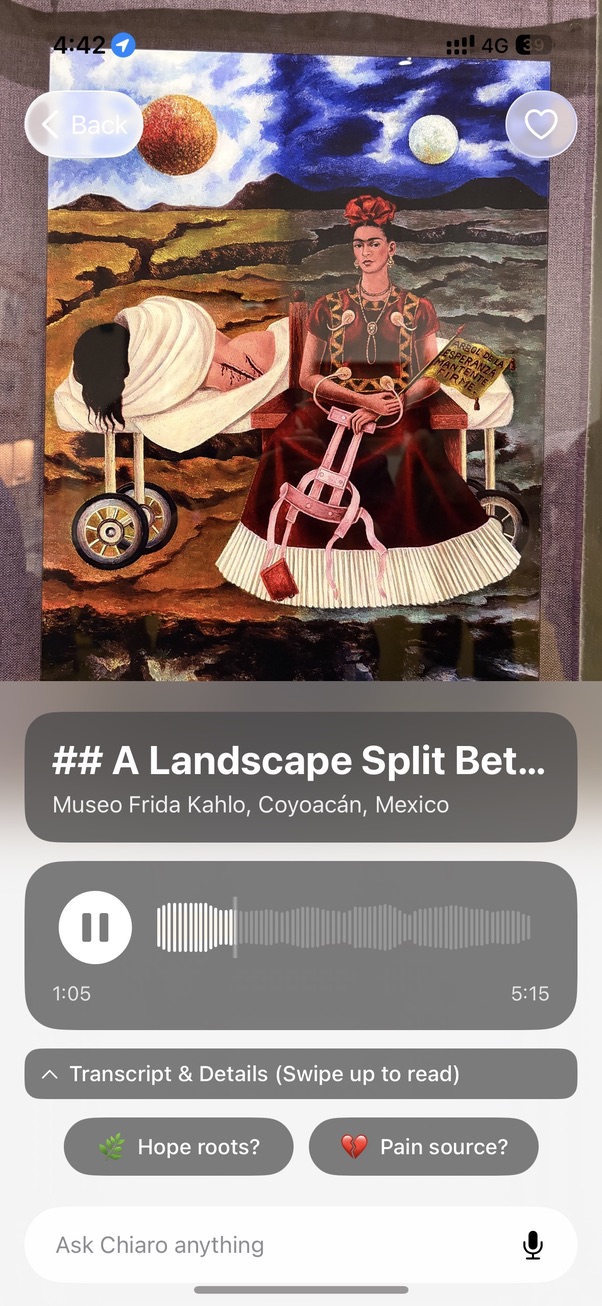
Yes. Several apps can do it. You hold your phone up to a painting, the camera recognizes it, and the screen tells you the title, the artist and the date. The good ones go further and tell you why the picture is worth standing in front of.
The question people usually mean, though, is a slightly different one. Not “can my phone name this painting”, but “can my phone explain it to me while I’m still looking at it, the way a good guide would”. That is a harder problem, and the apps split into very different camps on it.
The short answer
Three kinds of apps will tell you about a painting from the camera:
- General visual search. Google Lens and the visual lookup built into phone photo apps. Point, tap, and you get a web search for what the camera sees. Good at famous works, quick, free. What you get back is a page of search results to read, not an explanation.
- Museum-partner apps. Apps that work inside specific museums that have signed up and supplied their own collection data and texts. The content can be excellent, but it only covers the museums that joined, and only the works those museums entered.
- AI audio guides. Apps that recognize the work and then tell you about it, out loud, in your language, and let you ask follow-up questions. This is the category Chiaro is in.
If all you want is the name of a painting, any of them will do. If you want to understand what you are looking at without taking your eyes off it, the third kind is the one built for that.
Why “point your phone at a painting” is harder than it sounds
Recognizing a painting sounds like the easiest version of image recognition. It’s flat, it doesn’t move, and for famous works there are thousands of reference photos online. In practice a gallery throws up a lot of problems at once.
There is glare from the varnish and the glass. The light is low and warm on purpose, to protect the pigments. You are standing at an angle because someone is in front of you. Half the canvas is cut off by a head. And many paintings have near twins: an artist’s studio copies, the second version painted for another patron, the engraving made after it. The two versions of David’s Coronation of Napoleon, one in the Louvre and one at Versailles, are a good example, and we went through who’s who in that crowd in an earlier post.
The bigger difficulty is what happens after the match. Naming Las Meninas is one thing. Telling you, in the ninety seconds you have in front of it, that the man in the doorway at the back is a real court official, that the painter put himself in the picture, and that the blurry couple in the mirror is the king and queen standing where you are standing, is another thing entirely. We wrote that story up at length in our Las Meninas post. A good art app has to do both: recognize, and then explain at the right length for the person holding the phone.
How Chiaro does it
Chiaro’s whole idea fits on the home page: Snap. Listen. Explore. You point your camera at an artwork or a landmark and hear its story in seconds.
One photo in, a story out
You take one photo. Chiaro recognizes what you are looking at, whether it’s a painting, a sculpture or a fresco, and starts talking: what it is, who made it, and why it matters. Audio starts within seconds, so you can put the phone down and keep looking at the painting instead of the screen. That’s the point of the app. The phone is for looking up, not down.
A private art historian in your pocket
In a museum, Chiaro goes deeper than the wall label: the composition, the symbols, the story behind the work. For a painting like Botticelli’s Primavera that means knowing who the nine figures are, which we untangled in our Primavera figures post, and pointing your eye to the one that matters right now.
Curious? Just ask
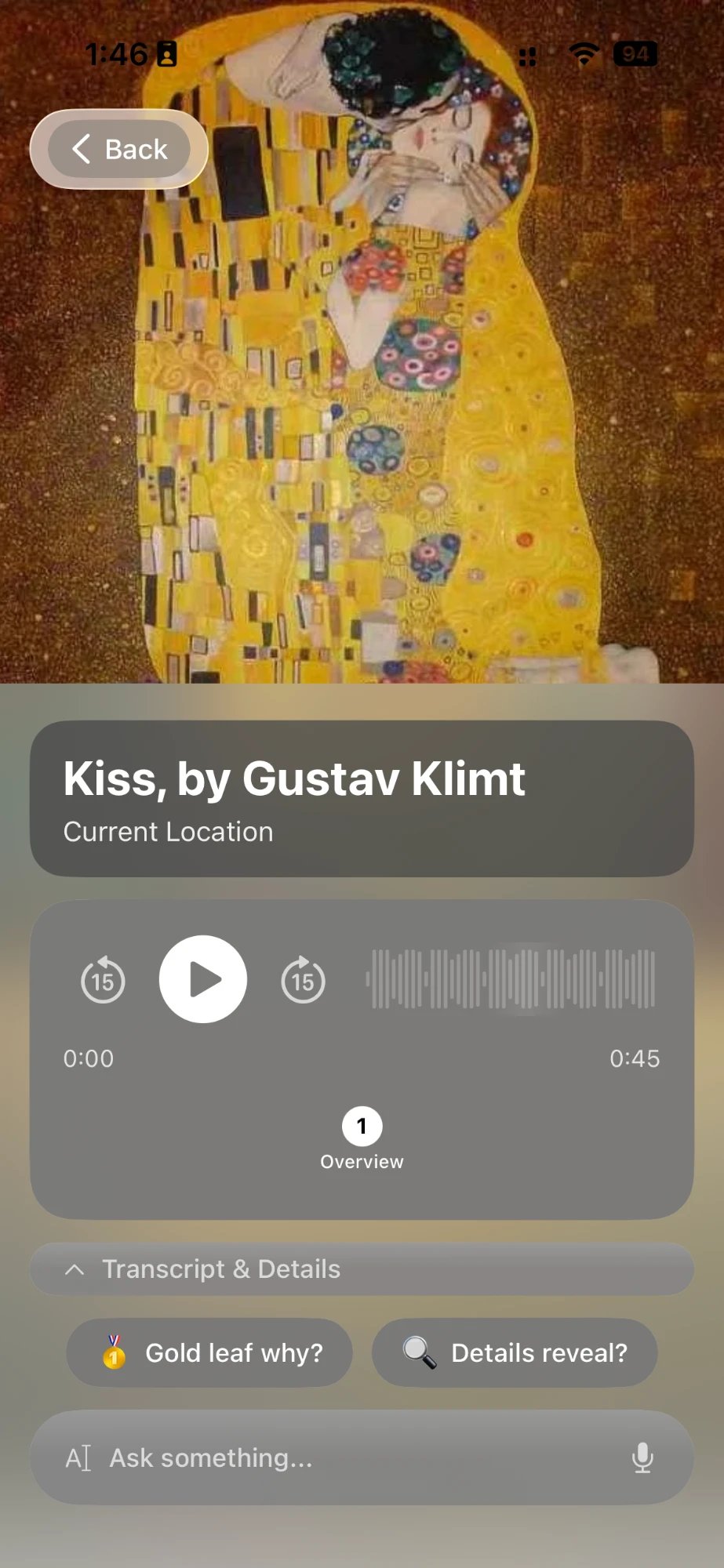
The first guide is where the conversation starts. Follow-up buttons suggest the next thread, like who paid for the painting or what was happening in the city the year it was made. Or you type or say your own question. Chiaro answers out loud, and when the answer depends on today (is the room open, is the painting on loan, what’s on tonight) it checks the web and brings back the current answer.
It remembers what you’ve already seen
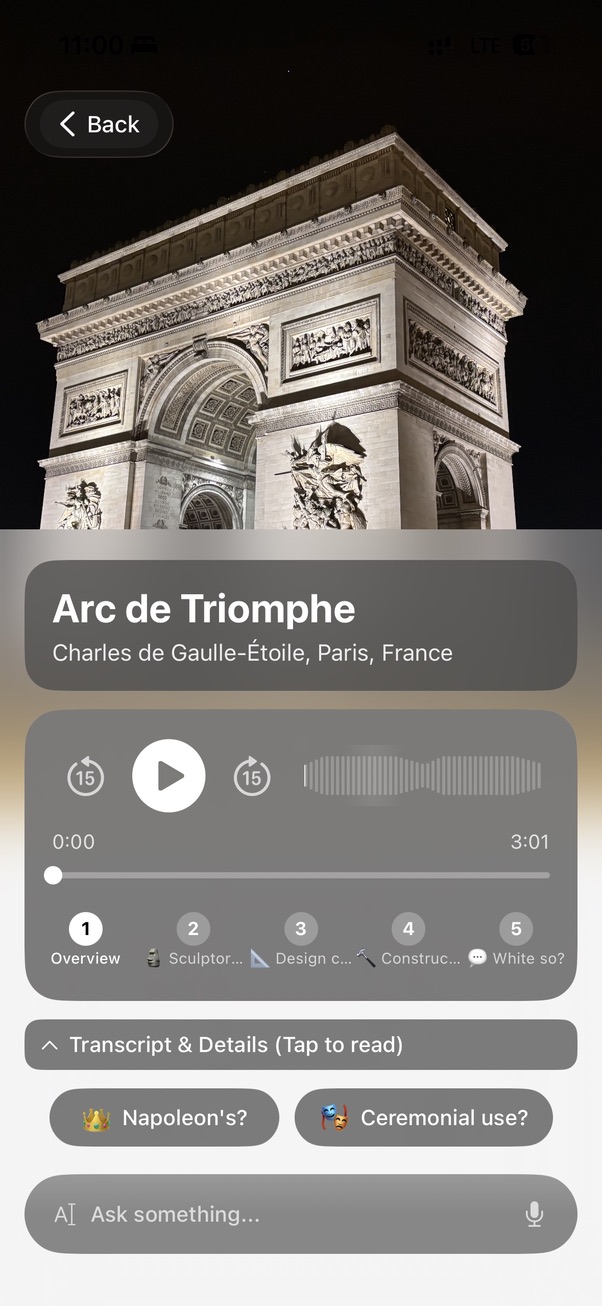
Chiaro keeps track of your day. If you keep asking about technique, you get more technique. If you want the short version, every guide after that gets shorter. Snap a painting you have already heard about and it doesn’t repeat itself: it picks up where it left off and goes further.
Works almost anywhere you point it
There are no city packs to download and no list of partner museums to check first. Chiaro recognizes what you point it at, whether that’s an altarpiece in a famous gallery, a fresco in a side chapel nobody puts in the guidebooks, or a mural on a back street. If it has a story, Chiaro finds it.
In 18 languages, in the voice you pick
Chiaro speaks English, Spanish, French, German, Russian, Italian, Portuguese, Chinese, Japanese, Korean, Dutch, Turkish, Arabic, Polish, Greek, Finnish, Czech and Georgian. You choose a woman’s or a man’s voice, and for English, Spanish and Portuguese you can pick the accent too. Place names show up both in your language and in the local one, side by side.
More than the painting in front of you
Recognizing a painting is the moment people imagine when they ask the question. Chiaro now covers the rest of the day around it as well:
- The Map. Chiaro’s picks around you, each with one line on why it’s worth the walk. Every photo you take becomes a pin.
- The story of your day. Each evening, in a Filo, Chiaro turns what you saw into a short story that connects the dots. The Caravaggio you saw in the morning and the church you passed in the afternoon turn out to be related. Tap Go deeper on any thread.
- Plan tomorrow in one tap. Pick a place or tap Surprise me and you get a plan for the day, with opening hours, the weather and a backup plan for rain.
- Your trips, remembered. Leave a city and Chiaro sends a recap of your days there. Come home and you get the whole trip, city by city.
- Pin anything. Pin a place from the map, a chat or a Filo, and find it again in one tap.
- Safe on every iPhone. Sign in with Apple and your guides, chats and Filos follow you to a new phone.
See how recognition works
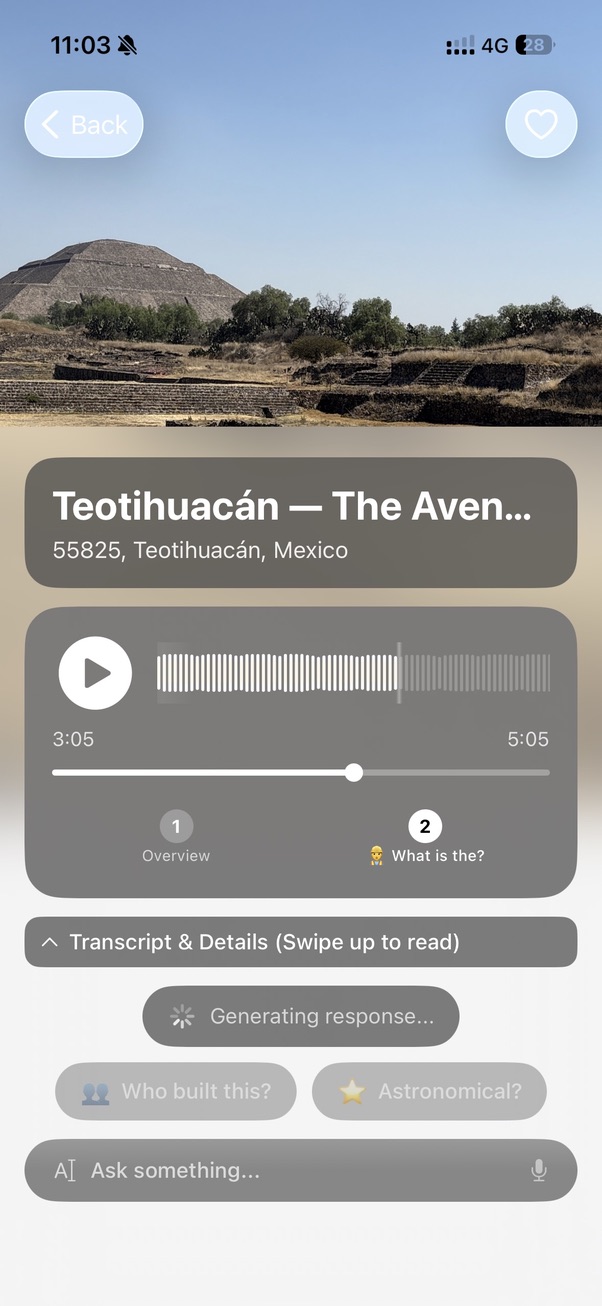
If you want to hear what Chiaro does before you install anything, the museum and landmark pages on the Chiaro website are a demo of it: 80 places, five stops each, the kind of guide the app builds from a single photo. They play in your browser with no account. Try the Louvre, the Rijksmuseum, Hagia Sophia or Prague Castle. The app itself isn’t limited to those 80 places: it works on whatever you point it at.
FAQ
Is there a free app that identifies paintings?
Yes. General visual search such as Google Lens is free and will usually name a famous painting. Chiaro is free to try on iPhone, and the museum and landmark demo pages on its website play free in your browser.
Do I need to type anything?
No. Chiaro is built around the camera: you snap the painting and the guide starts playing. Typing or speaking only comes in when you want to ask a follow-up question.
Does it work on paintings that aren’t famous?
It works best where you’d most want a guide: museums, churches, historic city centers. Less famous works are where a recognition-only app usually gives up, and where an app that can explain what it sees, and look things up, is most useful.
Is it on Android?
Chiaro is on the App Store for iPhone today.
The point of all this
The old museum audio guide was a numbered keypad on a lanyard, and it said the same ninety seconds to everyone. The question “is there an app that tells me about a painting if I point my phone at it” is really a wish for something better than that: a guide that knows which painting you’re looking at, talks to you in your own language, and stops or keeps going when you want it to.
That’s what Chiaro is for. Chiaro means “clear” in Italian. Download it from the App Store, point it at the next painting you can’t place, and listen.
Snap. Listen. Explore.